Does the 1.0 Release Wipe Your World?
A wipe matters because your Dragonwilds world can hold a long-built base, rare gear, quests, and hard-earned progress. The good news is that the 1.0 launch is live, but the available official launch information does not announce a mandatory, game-wide save wipe.
RuneScape: Dragonwilds left Early Access on September 15, 2026. Its full release added major new content, console support, crossplay options, and the Scorned Wilderness. That is a substantial update, but a major update does not automatically mean every existing world must be deleted.
Players asking about a runescape dragonwilds 1.0 wipe are usually concerned about two separate things: whether their character and world disappear, and whether an older save remains compatible. Those are different outcomes. A world may remain intact but need conversion, show a compatibility warning, or behave differently after updated systems are added.
| Question | What the available information indicates |
|---|---|
| Did 1.0 launch? | Yes. The full release went live on September 15, 2026. |
| Was a universal wipe announced in the launch notes? | No mandatory full wipe is described in the published 1.0 release overview. |
| Can older worlds face technical issues? | Potentially. Large changes can affect compatibility even without an intentional reset. |
| Are all worlds server-hosted accounts? | Dragonwilds supports player worlds and dedicated servers, so save handling can depend on how a world is hosted. |
The safest interpretation is simple: do not assume a wipe, but do not treat an old save as invulnerable either. Keep a backup before loading a valued pre-1.0 world, especially if you use mods, custom settings, or a dedicated server.
What Changed at Full Release
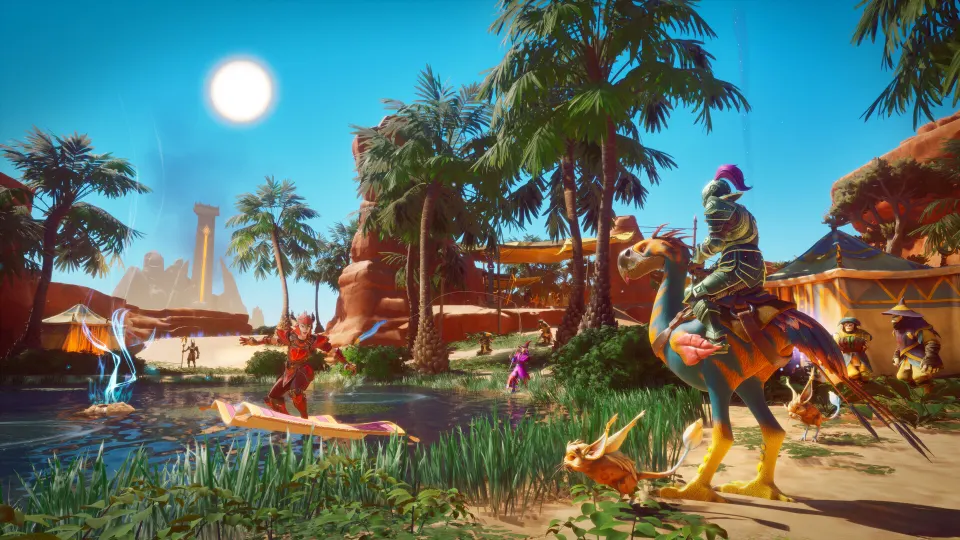
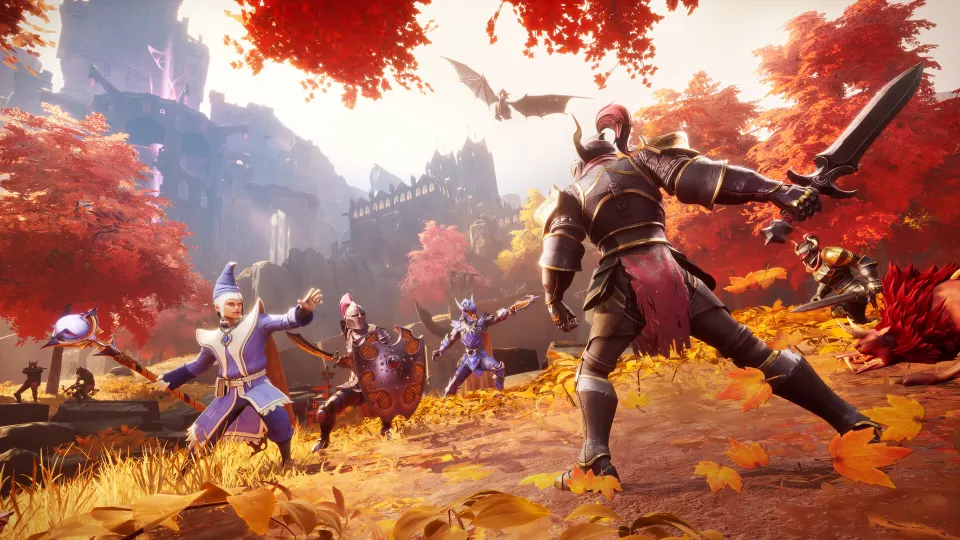
The release was more than a label change from Early Access to 1.0. Dragonwilds expanded from its earlier regions and dragon encounters into a broader survival-crafting adventure across Ashenfall, culminating in the Scorned Wilderness and the end-game dragon Kuldra.
The new release also made the game available on PlayStation 5, Nintendo Switch 2, Xbox Series X|S, Epic Games Store, the Jagex Launcher, and Steam. Crossplay can be enabled for multiplayer worlds, while dedicated servers also have a crossplay option.
These additions are relevant to save concerns because platform support and multiplayer changes can alter how players access worlds. They do not, by themselves, prove that existing saves were erased.
| 1.0 addition | Why it may matter to an existing world |
|---|---|
| Console release | Friends may now join from additional platforms through supported crossplay worlds. |
| Crossplay world setting | Hosts can choose whether a multiplayer world uses crossplay. |
| Invite codes | Joining a hosted world is more direct through the world browser. |
| Scorned Wilderness | Adds a new region, quest, enemies, and end-game progression. |
| Kuldra, the God-Eater | Introduces a new end-game boss rather than replacing early-game progression. |
| The Hub and raid area | Building is allowed in the Hub, while the raid area restricts building. |
For a returning player, 1.0 is best approached as an expansion of the same progression loop. You still gather materials, improve tools, craft armor and weapons, build a functional base, and use quests to guide your next objective.
The main quest path is especially useful after a long break. It gives structure when the new map areas, bosses, crafting options, and skill systems make the game feel overwhelming.
Save Safety Before You Update or Host
Even when no global reset is announced, backing up a world is good survival-game hygiene. It protects you from an interrupted update, an incompatible mod, a mistaken overwrite, or a save issue unrelated to the 1.0 release.
Before opening an important world after updating, use this checklist:
- Make a copy of the world and its related save data somewhere separate.
- Record which platform, game version, custom-world options, and mods the world uses.
- Update or remove mods that have not been confirmed compatible with 1.0.
- Ask the host to back up the server before changing crossplay or server settings.
- Test the updated version on a duplicate world before committing your main base.
- Avoid replacing an older backup until you have loaded in, checked your character, and inspected your builds.
| World type | Practical precaution |
|---|---|
| Solo local world | Back up the save before the first 1.0 load, then test your main base and inventory. |
| Friend-hosted multiplayer world | Confirm that the host has backed up the world and chosen the intended crossplay setting. |
| Dedicated server | Back up server files and confirm that the server build matches the clients joining it. |
| Modded world | Treat it as higher risk; wait for mod compatibility information or test on a copy first. |
| Custom or Creative world | Preserve its settings and verify that the world still loads with the intended rules. |
Community discussion around the subject has largely focused on compatibility rather than evidence of a confirmed wipe. Players noted that a forced reset would be most plausible if fundamental world or engine changes made old worlds impossible to support.
That remains speculation, not an official statement. If your world is valuable, prepare for the possibility of compatibility work while relying on official patch notes and in-game messages for the final answer.
Continue Progressing After 1.0
If your save loads correctly, there is no need to rush into the newest region immediately. Dragonwilds progression works best when you treat quests, gear tiers, and gathering tools as one connected loop.
Early quests teach the essentials and guide you toward Dragon Slayer. A basic shelter, claimed bed, storage, crafting stations, and cooking setup are enough to establish a reliable first base. Your first priority is not an elaborate mansion; it is a place where you can respawn, craft, cook, and organize materials.
Armor power is a more useful readiness check than endlessly grinding one combat skill. Skills unlock spells, perks, and efficiency, but armor and equipment tiers help determine whether you are prepared for tougher regions and bosses.
| If you are blocked by... | Check this first | Useful response |
|---|---|---|
| Enemies dealing overwhelming damage | Armor tier and power level | Craft or obtain the next appropriate armor upgrade before retrying. |
| An ore node you cannot mine | Pickaxe tier | Upgrade the pickaxe and gather materials for it. |
| A tree you cannot harvest | Logging axe tier | Improve the axe rather than only farming Woodcutting experience. |
| Long travel between regions | Fast-travel setup | Build loadstones after obtaining the required resources and a vault core. |
| Too many possible objectives | Main quest | Use it as the roadmap, then explore and gather along the route. |
Tools deserve the same attention as armor. Reaching a new area but lacking the pickaxe or axe for its resources can stall your entire upgrade path. Keep weapons, armor, and gathering tools moving forward together.
The 1.0 content gives experienced players further goals, including the Scorned Wilderness and Kuldra. However, returning players will have a smoother time if they first confirm that their base, equipment, and world settings survived the transition as expected.
FAQ
Is there a confirmed runescape dragonwilds 1.0 wipe?
The official 1.0 release announcement describes new content and platform features, but it does not state that all existing player worlds must be wiped. Back up important saves anyway before updating or loading them.
Will my old world work after the 1.0 update?
It may, but compatibility can vary with world settings, hosting method, game version, and mods. Load a backup copy first if the world contains a significant base or rare progress.
Does crossplay force my world to become crossplay?
No. Hosts can choose whether a multiplayer world is crossplay-enabled when hosting it. Dedicated servers also have a crossplay option.
Should I delete my old save and start over?
Only start over if you want a fresh progression experience or your save cannot be safely used after troubleshooting. A fresh start is not the same thing as an announced mandatory wipe.
What should I do first after returning for 1.0?
Back up your world, check that your base and inventory load correctly, review your quest progress, and upgrade the armor and tools that support your next region.